Best AI virtual try-on apps for Shopify
Seven AI virtual try-on apps for Shopify, ranked on what each one can actually do, with entry allowances and overage rates verified 26 August 2026.
How this list is ranked
Seven apps here put a try-on button on a Shopify product page. Six of them do only that: a shopper uploads a photo, the app renders the garment on them, the result sits under the buy button. Between those six the real differences are allowance shape and overage rate — a narrower gap than seven separate listings make it look.
So this page ranks on capability. What each app can do is printed in the matrix below, and you can check the whole thing in ten minutes by opening seven App Store listings. It does not rank on rating, on review count, or on headline monthly price. Every comparison picks what it measures; this is ours, stated before the ranking rather than after.
One thing to say plainly, given that Selvette is ranked first and Selvette publishes this page. Selvette is the newest app on the list, launched in 2026 against apps that have been shipping since 2024. That is the honest shape of it, which is why everything below is checkable rather than asserted.
Pricing and features verified 26 August 2026. Vendors change plans and rename tiers without announcing it, so re-check the listing before you commit to anything.
The comparison
| App | Shopper try-on | Photoshoot Studio | 360° video | Live makeup AR | Overage per image |
|---|---|---|---|---|---|
| Selvette | Yes | Yes | Yes | Yes | 13¢ → 9¢ by plan |
| Looksy | Yes | No | Yes (video try-on) | No | 14¢ – 10¢ |
| GenLook | Yes | No | No | No | 17¢ / 12¢ / 10¢ |
| Antla | Yes | No | No | No | 16¢ / 12¢ / 9¢ |
| Lit Outfit | Yes | No | No | No | Not published |
| Reality Try | Yes | No | No | No | 12¢ / 10¢ |
| Nivera | Yes | No | No | No | Not published |
"Not published" means the vendor's listing did not state it on 26 August 2026, not that the feature is missing.
1. Selvette
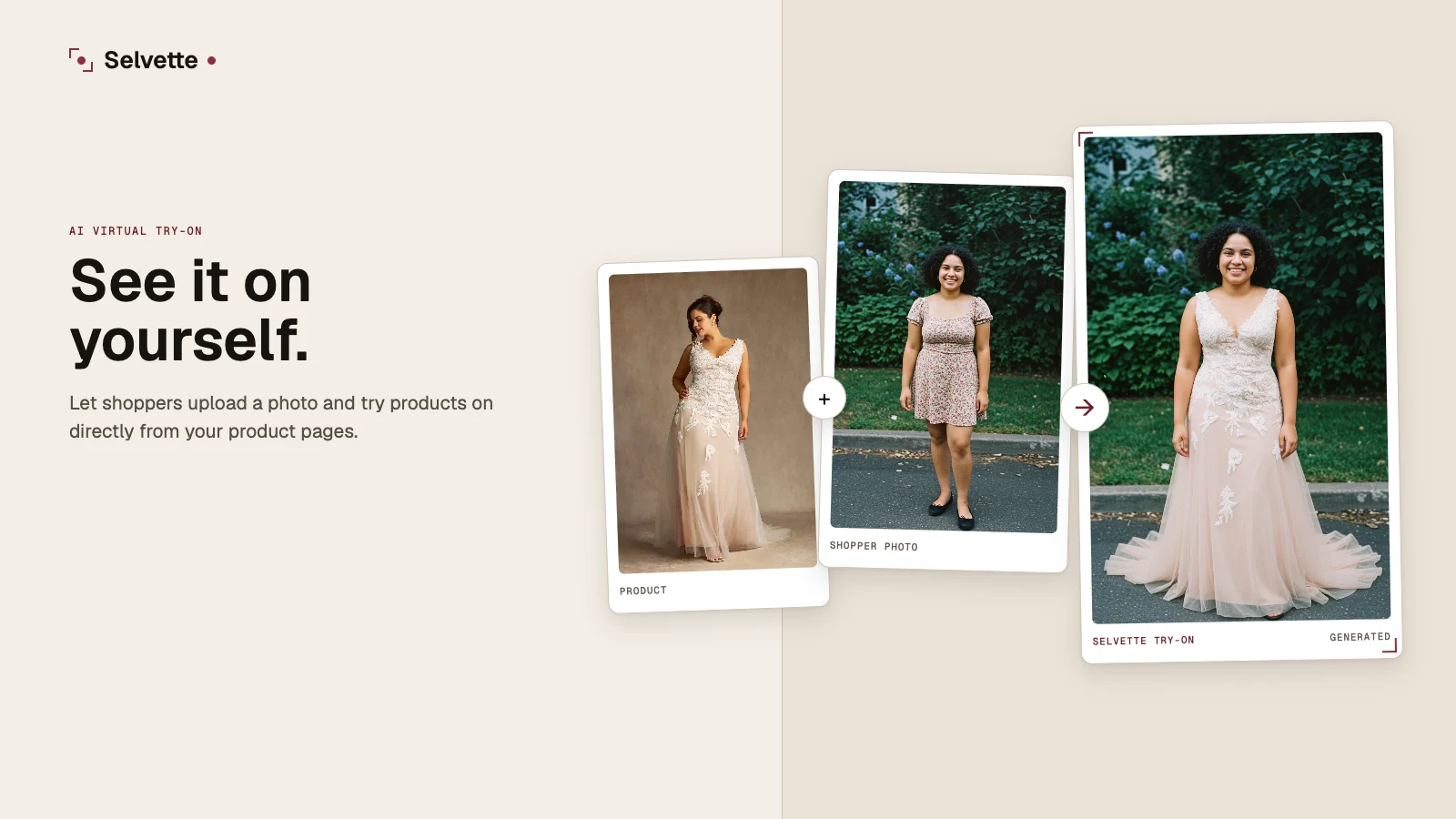
Selvette does four things, and the fourth one appears nowhere else on this page. Shopper try-on for apparel, running off the product photos already sitting in your Shopify admin. A merchant Studio that turns a single product image into a full photoshoot. 360° video reels. And live makeup AR for lipstick, blush and eyeshadow, rendered on the shopper's own camera feed, on their device, with nothing uploaded and nothing generated.
Across the eleven try-on and photoshoot apps surveyed on 26 August 2026, live AR appears once. The combination of all four appears once. Those are the two claims the ranking rests on, and both fall apart in public if they are wrong.
Install is a theme app embed, so no code edits. The button renders inline under the buy buttons where the theme allows and falls back to a floating trigger where it does not, and it never blocks Add to cart. The shopper needs no account. Shopify is one click; every other storefront is one snippet, and an agency running six client sites draws from one balance, though a plan is billed per store.
The Studio side runs three shoot types: on-model for apparel, Accessory for jewellery, eyewear and bags, and Product Scene for styled shots with no model at all. You direct it rather than reroll it — a model from a roster of 50+, or your own, skin tone from fair to deep, expression, hair, scene, lighting, mood, up to 6 poses, and framing at 4:5, 1:1, 3:4 or 9:16. Refinement is conversational — "close up on the neck, one hand touching the necklace", then "pull back a bit, warmer light" — with the product held consistent across turns. Save a configuration as a Look so a whole range shoots the same way, then publish straight to a Shopify product or variant.
An image takes about 6 seconds. A failed generation costs nothing — the credit is reserved when the job starts and released if it fails, errors, or is rejected before delivery. Entry is $19 for 150 credits a month, overage runs 13¢ down to 9¢ by plan and is off by default behind a cap you set, and try-on is tracked through to cart and purchase per product, so you can see which garments the button earns on.
More on the storefront side in the Shopify virtual try-on app use case, and the install itself is walked through in how to add virtual try-on to a Shopify store.
2. Looksy
Looksy launched 12 December 2025 and carries the second-broadest capability set here: photo try-on plus video try-on, which is a genuinely different thing to look at when the garment moves. Entry is $14.99 for 100 generations a month, overage runs 14¢ down to 10¢, and the top tier is $79 for 600 generations. That ceiling is worth checking against your catalogue size, because 600 a month goes quickly on a store with traffic.
3. GenLook
GenLook launched 26 September 2025 and is try-on only, but it has built more scaffolding around that one job than anyone else on the list. Lead capture pipes into Klaviyo, Shopify Email, Mailchimp and Omnisend. Pro adds white-labelling. Shopper photos are auto-deleted at 7 days, which is a specific number in writing rather than a paragraph about how seriously they take privacy. It is a theme app embed, and it publishes a stated median generation time of around 9 seconds — one of the very few vendors here to publish a time at all.
GenLook also publishes conversion-lift and returns-reduction figures. Numbers like those are worth asking the methodology for, whoever publishes them.
Entry is $19.99 for 100 generations a month, the top tier is $99 for 1,000, and overage steps 17¢ / 12¢ / 10¢.
4. Antla
Antla has been on the App Store since 6 August 2024, the longest run of anything here. It is try-on only, and what it adds sits on the commerce side rather than the imaging side: size charts, unit converters, and automatic try-on discounts that fire when a shopper tries a product on. If your instinct is to reward that interaction with an offer, the mechanic is built in rather than bolted on with a third app.
Entry is $19.99 for 100 generations a month, the top tier is $199.99 for 2,000, and overage steps 16¢ / 12¢ / 9¢.
5. Lit Outfit
Lit Outfit launched 8 October 2025 and does apparel try-on, nothing else. It carries an outfit builder, so shoppers assemble a full look rather than trying one garment at a time, and it covers an unusually wide category list for a try-on app — glasses, socks and shoes alongside the usual dresses and shirts. There are no reviews on the listing yet, and no overage rate is published, so ask what happens on the day the allowance runs out: whether the button disappears from your product pages, or the app upsells you mid-month.
6. Reality Try
Reality Try arrived 5 February 2026, the most recent listing among the six try-on-only apps here. It is try-on only, with entry at $19.99 for 100 generations a month, a top tier of $99.99 for 1,000, and overage at 12¢ / 10¢. Nothing is published around the core function yet, which makes the evaluation a straight test of output quality on your own garments.
7. Nivera
Nivera has been listed since 19 July 2024 and is free, with no paid tier, no published allowance and no overage. That makes it a direct way to answer one question before anyone bills you: will shoppers on your product pages use a try-on button at all. If the answer is yes, look at what the paid apps do with the interaction afterwards.
What the credits column actually means
The credits-per-dollar column is not a like-for-like number, and leaving that unsaid would be the kind of thing a competitor takes apart in one reply.
Selvette credits are spent across images, try-ons and video from one balance: 1 image is 1 credit, 1 360° video is 10. The other six apps spend their allowance on try-ons alone. So 150 credits is 150 try-ons only in a month where you run no photoshoots — if you plan to do both, size the plan for both. One balance across four capabilities is a convenience and a trade-off at once.
Choosing for your catalogue
If the only job is a try-on button on twenty dresses, most of this list will do it, and the deciding factor is how the output handles your garments — necklines, hems, lace, drape, and whether modest coverage survives the render. Test three of your hardest pieces on two apps and the shortlist collapses on its own.
If you sell makeup, most of this page is beside the point. Rendering a lipstick shade on a live camera feed and generating a garment onto a photo are different problems with different failure modes, and only one app here does both.
And if your product photos are flat-lays on white, the shopper's doubt is not the first bottleneck. Fix the catalogue first — turning flat-lays into on-model photos is a separate job with a separate shortlist, covered in the AI product photoshoot apps comparison. Where try-on fits by store type is broken down across the use-case library.
FAQ
Which virtual try-on app should a Shopify store install first?
Install the one whose output survives your hardest garment, not the one with the longest feature list. Pick three products where shoppers hesitate most — a fitted dress, something with lace or hardware, a piece where length matters — and run them through two or three apps on entry plans. Most apps here read the photos already in your Shopify admin, so the test costs an afternoon rather than a shoot.
Do AI try-on apps work from my existing product photos?
Selvette works from the images already in your Shopify admin with no reshoot, and most apps in this category are built the same way. What varies is how well each handles a flat-lay or mannequin shot against a clean on-model photo. If your catalogue is mostly flat-lays, check the output on those rather than on the one product you have a model shot for.
Is makeup try-on the same as clothing try-on?
No, and the distinction matters when you are choosing an app. Clothing try-on generates an image of the garment on an uploaded photo. Live makeup AR renders a shade onto a moving camera feed on the shopper's own device, with nothing uploaded and nothing generated. Of the eleven try-on and photoshoot apps surveyed on 26 August 2026, Selvette is the only one that does the AR side.
What happens when the monthly allowance runs out?
That depends on the app, and it is worth asking before you install rather than on the day it happens. Selvette, GenLook, Antla, Looksy and Reality Try all publish overage rates, so the button keeps working past the allowance at a stated per-image price. Selvette's overage is off by default behind a monthly cap you set. Lit Outfit and Nivera publish no overage rate, so check what their listings do at the ceiling.