AI try-on for bridal stores
How bridal and occasionwear stores use AI try-on for gowns and lehengas — shortlisting online, colourway photography, and what a preview cannot settle.
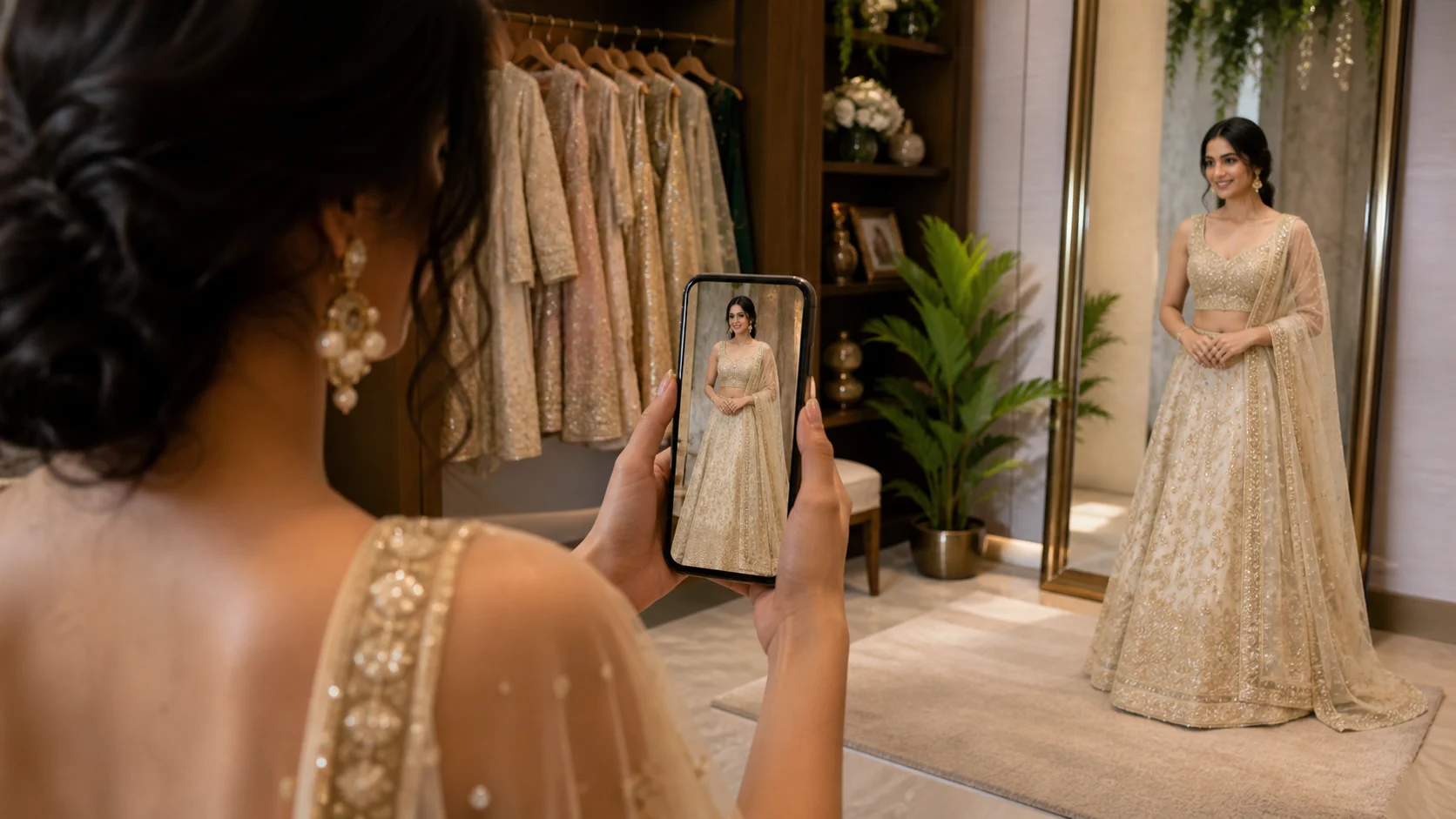
The bridal product page is a shortlist, not a checkout
A bride does not buy a lehenga the way she buys a jumper. She looks at dozens across a few weeks, screenshots a handful, sends them to her mother and two friends, and eventually walks into a shop with a shortlist in mind. The purchase happens later and often in person. The shortlist happens on your product pages, at 11pm, on a phone.
That shortlist is what your storefront competes for, decided almost entirely on whether she can picture herself in the piece. A house model settles nothing here — she has a different colouring, a different height, and she is not the person standing at the mandap.
AI try-on puts the shopper's own photo into that moment. She uploads or takes a picture, and the gown she is looking at is rendered onto her in about six seconds, without an account and without a booking. She is cutting the shortlist against her own reflection rather than against a house model.
What a photograph loses on an occasion piece
Occasionwear is the category where flat photography fails hardest, because the things that decide the purchase are the things a still image flattens.
Weight and fall. A heavily worked lehenga skirt hangs differently on a person than it does on a hanger, and the hanger shot is the one your supplier sent. Length against a real body. How a deep back reads on someone who is not a 5'10" fit model. Whether the colour that photographs as ivory sits warm or cold against her skin.
A preview on her own photo does not answer all of that perfectly, but it answers it in the register she is actually thinking in — herself, in it, in a room.
Every colourway is a shoot you have already done once
The other bridal problem has nothing to do with shoppers. You have photographed one gown properly. It exists in six colours, each needing to look like it was shot the same day by the same person, and none justifies a studio booking alone. Five of those six will wait, because getting everyone into a room again is harder than the photography ever was.
Selvette's Studio takes a single product image and produces the shoot from it. On-model, with a model from the roster or your own, set by skin tone, expression and hair, in a studio, a garden, a golden-hour exterior or a scene you upload. Up to 6 poses come from one run, and for bridal the back and three-quarter poses do real work: a train, a lacing and a dupatta drape are half the design and almost never appear in a supplier photo. The aspect ratio is set per run — 4:5 by default, or 1:1, 3:4 or 9:16 — so generate the product page, the grid and the reel cover each at the ratio it wants.
Then you refine it in plain language, turn by turn: close up on the neck, one hand touching the necklace, then don't cut her face, pull back a bit, then warmer light, hair up. The garment stays consistent across turns, and you can branch back to any earlier one. Save the setup as a Look and the rest of the collection matches it. Publish the result straight onto the Shopify product — or onto the specific variant, which is the one that matters when the difference between two pages is a colourway.
The jewellery is part of the decision
Bridal is rarely sold as one item. If you carry the sets and the earrings alongside the outfits, the Accessory shoot type covers jewellery, eyewear and bags worn on a model, so a pair of jhumkas gets photographed on an ear rather than on a white square. Where movement is the argument, 360° video reels are available from Pro upwards, 10 credits each.
Modesty is a specification, not a style preference
Bridal AI imagery goes wrong here, and it goes wrong quietly. A generated result that shortens a sleeve, opens a neckline, thins a dupatta or drops a head covering has not stylised your product — it has changed it, and for a modest-wear customer it has changed the only thing she was checking.
Review every output against the real garment before it is published: sleeve length, neckline depth, dupatta and veil placement, hem, coverage across the shoulder and chest. Where a result drifts, correct it in the next turn. If the image no longer matches the piece in your stockroom, it is not usable, however good it looks.
What try-on will not settle
It will not tell a bride her size. Try-on is a visual preview and measures nobody, so your size chart, measurement guide and alterations conversation stay exactly where they are. It will not replace the appointment either — corsetry, weight, bustle and a fitting are physical facts, and no preview substitutes for standing in the thing.
What it does is get her to the appointment already sure about the four she wants to see, instead of spending the first half hour working out which shapes she likes. If you take enquiries rather than orders online, email capture is optional and you choose whether it appears before or after the result.
Rolling it out across a bridal catalogue
Start with the pieces that generate the most pre-purchase questions, because a question in your inbox is visual doubt written down. 15 or 20 gowns is plenty. Check the outputs for embroidery, lace, colour and coverage before anyone else sees them, then watch which pieces are tried repeatedly and still stall — that usually points at the photography rather than the product.
The broader install and pricing picture is in the virtual try-on app guide for Shopify, the plan table sits in the pricing section, and the rest of the categories are broken out in the use-case library.
FAQ
Can AI try-on replace a bridal appointment?
No, and a bridal store should not sell it that way. Fit, corsetry, weight and alterations are physical and need a fitting room. What try-on changes is the stage before that: a bride arrives having already seen her shortlist on herself, so the appointment starts at the shapes she actually likes.
Does try-on tell a bride what size to order?
No. It is a visual preview of how a piece looks on a person, not a measurement system, so it says nothing about fit and does not replace your size chart, measurement guide or alterations advice.
Will it preserve modest coverage on sleeves, necklines and dupattas?
Every result should be checked against the real garment before publishing, including sleeve length, neckline depth, hem and dupatta or veil placement. Where an output drifts, correct it with a follow-up instruction in the same conversation. An image that changes the coverage of the piece is not usable, however good it looks.
Can I photograph the same lehenga in all its colourways?
Yes. The Studio generates on-model photography from a single product image, and you can save the model, scene and lighting as a Look so every colourway matches. Each result publishes to a specific Shopify variant, which keeps six colour pages looking like one collection.