Virtual try-on vs AI model photography
Sold as one category, shopper try-on and AI on-model photography solve two different problems. What each produces, who it is for, and why most brands run both.
Two different people are looking at the picture
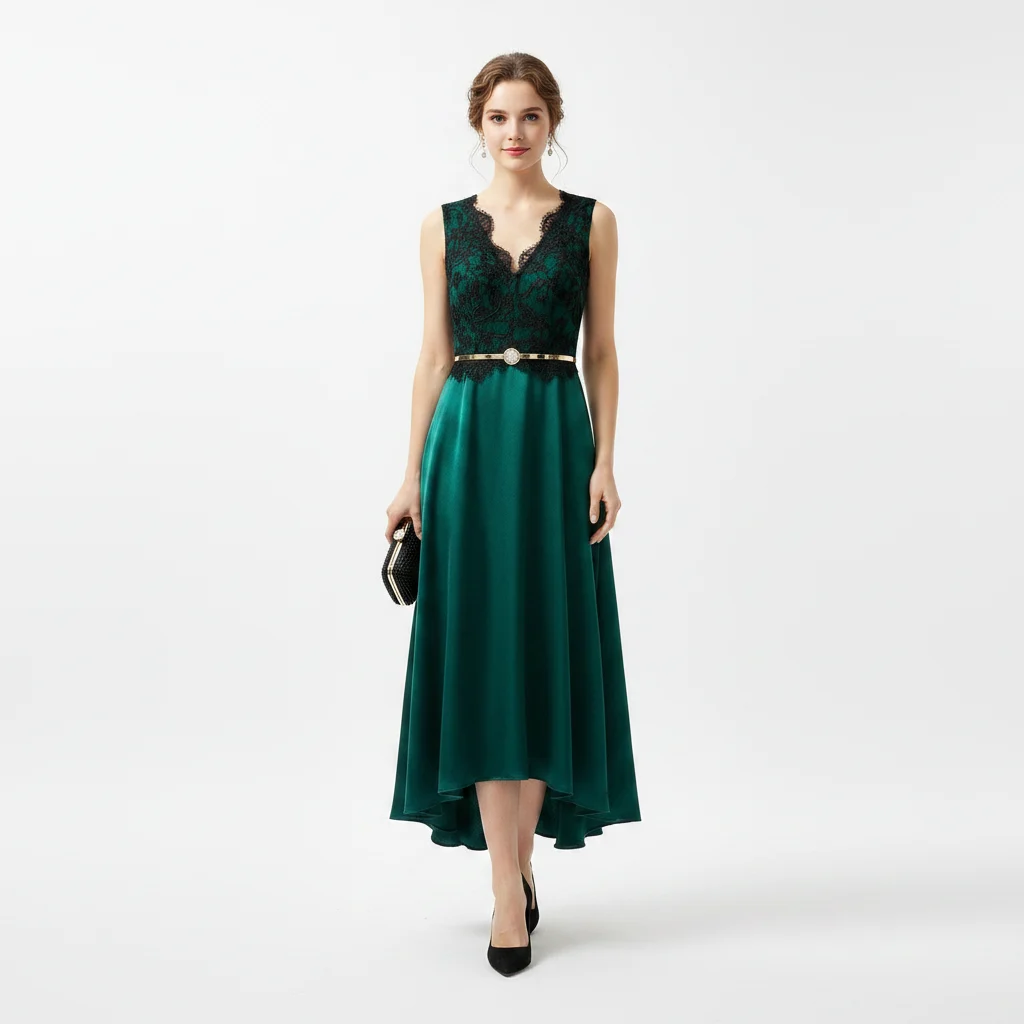
A product page does two jobs in the same square of screen. It has to make the garment worth opening, and it has to convince one specific person that it would look like something on them. A good on-model photograph does the first job. It cannot do the second, because the woman in the frame was cast for your brand, not for the customer reading the page.
That gap is the reason this category splits in two, and the reason the two halves keep getting sold as one thing.
AI model photography is merchant-side. You take a product image you already own and generate the shoot you would otherwise have booked. It happens once, before anyone arrives, and the result is published to your product page, your collection grid, your ads.
Shopper try-on is customer-side. Someone on the page uploads a photo of themselves and sees the product they are currently looking at rendered onto them. It happens once per shopper, thousands of times, and the picture belongs to them rather than to you.
Related technology underneath. Different audience, different moment in the funnel, different artefact at the end. Neither is a feature of the other.
What AI on-model photography produces
You have the dress photographed flat, on a hanger, or on a stockroom mannequin with a radiator in the corner of the frame. That is the input.
Selvette's Studio runs three shoot types from it: On-model for apparel, Accessory for jewellery, eyewear and bags, and Product Scene for styled product-only shots with no model at all. You pick a model from the roster or bring your own, set skin tone from fair to deep, expression and hair, then the scene — studio, city street, garden, living room, golden-hour, or an image you upload. Lighting and mood work the same way, from soft daylight to neon, editorial to vintage. One run gives up to 6 poses at the aspect ratio you set — 4:5 by default, or 1:1, 3:4 or 9:16.
Then you direct it in plain language, turn by turn, the way you would talk to a photographer standing next to you. Close up on the neck, one hand touching the necklace. Then don't cut her face, pull back a bit. Then warmer light, hair up. The product holds its shape and detail across every turn, and you can branch off any earlier turn instead of starting the shoot again. Each send costs 1 credit. An image takes about six seconds.
Results land in a Gallery, where you download them or publish straight onto a Shopify product or variant. The flat-lay to model photos walk-through covers the whole path from supplier image to published shot.
What shopper try-on produces
Try-on installs as a theme app embed — one click on Shopify, one snippet on any other storefront, no code edits either way. It renders inline under the buy buttons where the theme allows and falls back to a floating trigger where it does not, rather than quietly failing to appear. It never blocks Add to cart, because a shopper who has already decided should be able to buy without touching it.
The shopper taps it, takes a photo or picks one from the camera roll, and the garment on screen is rendered onto them in about six seconds. No account, no sign-up wall. It works from the product photos already sitting in your admin, so nothing has to be reshot before you can switch it on.
Makeup behaves differently again. Lipstick, blush and eyeshadow render live on the shopper's own camera feed, on their device — nothing uploaded, nothing generated, no credits spent. Try-on through to cart and purchase is tracked per product, so you can see which items shoppers keep previewing. The Shopify try-on app page has the install detail.
The two sit at opposite ends of the same visit
Photography works before the click. It is what the ad shows, what the grid shows, what makes someone open the page while they are still deciding whether you are worth their attention.
Try-on works after the click, on one product, at the point where a shopper likes the thing and is stuck on whether it suits them. It never runs unless someone is already on the page.
Because they sit at opposite ends, a weakness at one end is invisible from the other. Try-on cannot rescue a page nobody opens. Photography cannot answer a question about a specific body.
What breaks when you only run one
Run photography alone and your catalogue looks like a brand. Shoppers arrive, browse properly, and then stall on the pieces where the decision is personal — an occasion dress, a swimsuit, a bold print, anything above a few hundred pounds. They email you a question instead of buying. That message is visual doubt written down, and no additional studio shot answers it, because every studio shot is of someone else.
Run try-on alone and you have built a good answer to a question nobody is asking yet. If the collection grid is a mix of supplier white-background shots and one phone photo taken on a kitchen table, the traffic never reaches the product page in the numbers that would make try-on matter. The button is there. It just does not get pressed.
Which half to fix first
Look at your own grid on a phone, at arm's length, the way a customer sees it. If the products do not look like they belong to the same shop — different backgrounds, different crops, one item on a mannequin and the next on a hanger — the photography is the weak part and you fix that first.
If the grid holds together and the product pages get traffic that does not convert on high-consideration pieces, the doubt is happening after the click. That is the end try-on works on.
Most brands find both are true, in that order. The photography makes the page worth arriving at; the try-on handles the last thing standing between a shopper and the cart.
Running both off one meter
One AI image is 1 credit. One 360° video is 10, from Pro upwards. Shopper try-ons and your own Studio photoshoots draw on the same monthly balance, which is worth being plain about: 1,050 credits on Pro is not 1,050 try-ons if you are also shooting a collection that month. Any comparison against a try-on-only tool's per-try-on allowance is comparing two unlike things.
A generation that fails, errors, or is rejected before delivery releases its credit and costs nothing. The plan table sits in the pricing section.
Choosing between specific apps is a different exercise from choosing between the two capabilities, and it is done on capability breadth rather than on category labels. The try-on app comparison and the AI photoshoot app comparison run those tables.
FAQ
Is virtual try-on the same thing as AI model photography?
No. AI model photography is something you do to your catalogue before shoppers arrive: it produces on-model images you publish to product pages, grids, ads and email. Virtual try-on is something a shopper does to one product while they are on its page, using a photo of themselves. One builds the storefront; the other resolves a personal doubt at the last step.
Which one should I add first?
Judge it by where the visit stalls. If your collection grid is inconsistent — flat-lays next to hanger shots next to a phone photo — shoppers drop off before the product page, and photography is the thing to fix. If the grid holds together but traffic hesitates on the expensive, personal pieces, the doubt is happening after the click and try-on is the tool for it.
Do I need new product photos before either one works?
No. Both run from the product images already in your admin, including flat-lays and mannequin shots. If those source images are weak, the Studio can turn one into on-model photography, but that is a separate decision from switching try-on on.
Does one plan cover both?
Yes. A single credit balance covers Studio images, shopper try-ons and 360° video, at 1 credit per image and 10 per video. Live makeup AR spends no credits at all and runs on its own monthly view allowance. Because the balance is shared, a collection shoot and a busy month of try-ons draw from the same number.